WAVLINK WL-NU78M41 USB 2.0 Ethernet Network LPR Print Server
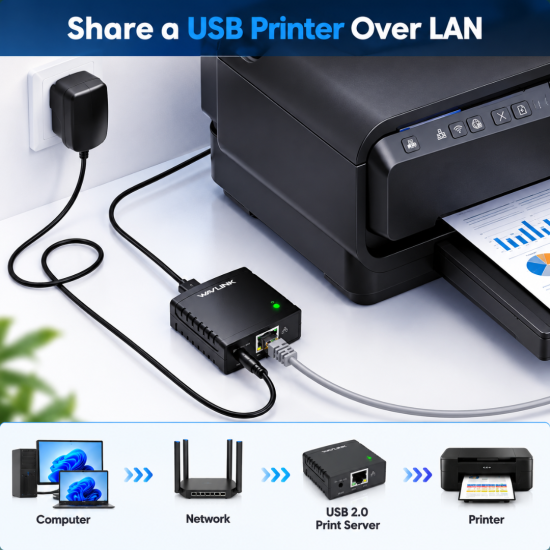
The WAVLINK WL-NU78M41 USB 2.0 Ethernet Network LPR Print Server is a compact networking solution designed to share a compatible USB printer with multiple computers over a wired local area network. Featuring a 10/100Mbps Ethernet interface, USB 2.0 connectivity, LPR printing support and browser-based management, this device helps convert a traditional USB printer into a network-accessible printing solution without requiring a dedicated computer to remain connected.
10/100Mbps Ethernet Network Connectivity
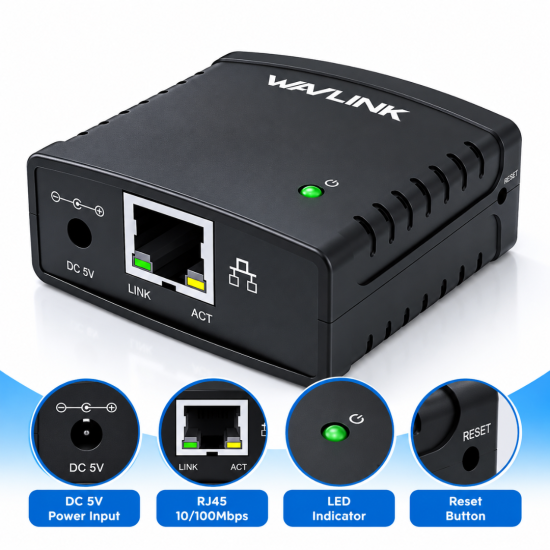
The WAVLINK WL-NU78M41 features a 10/100Mbps RJ45 Ethernet port for connecting a compatible USB printer to an existing wired network.
Once connected to a router or network switch, computers on the same local network can access the shared printer using supported printing protocols.
The auto-sensing Ethernet interface supports both 10Base-T and 100Base-T networks, making the print server suitable for standard home and office networking environments.
USB 2.0 Printer Sharing
Equipped with a USB 2.0 Type-A port, the WL-NU78M41 provides connectivity for compatible USB printers.
Its USB 2.0 interface is backward compatible with USB 1.1 devices, allowing supported printers to connect through a standard USB printer cable.
The print server eliminates the need to connect the printer directly to a single computer. Multiple authorized users on the same network can send print jobs to the shared printer, helping reduce equipment costs and improve office efficiency.
LPR and Bonjour Print Services
The WAVLINK WL-NU78M41 supports LPR (Line Printer Remote) network printing, enabling compatible computers to communicate with a shared USB printer through the local network.
It also supports Bonjour Print Services, helping compatible systems discover available printing services.
These capabilities make the device useful for environments where users need centralized printer access without purchasing a separate network printer.
Printer compatibility depends on the printer model, installed drivers and supported printing protocols.
Convenient Web-Based Management
The WL-NU78M41 features a built-in web management interface that allows users to configure and monitor the print server through a compatible web browser.
Administrators can access supported network settings, monitor device operation and perform configuration tasks without installing complicated management software.
The print server also supports automatic network configuration features, including DHCP, helping simplify installation in compatible network environments.
Compact Design and Energy-Efficient Operation
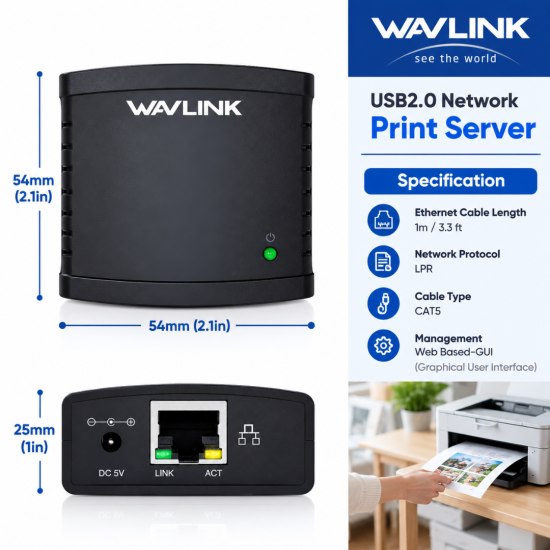
The WAVLINK WL-NU78M41 features a palm-sized black ABS plastic housing measuring approximately 54 × 54 × 25mm and weighing around 37g.
Its compact design makes it easy to install beside a printer, on an office desk or near networking equipment.
The device uses a 5V external power adapter and incorporates a low-power integrated chipset designed for efficient everyday operation.
Ideal for Home and Office Printer Sharing
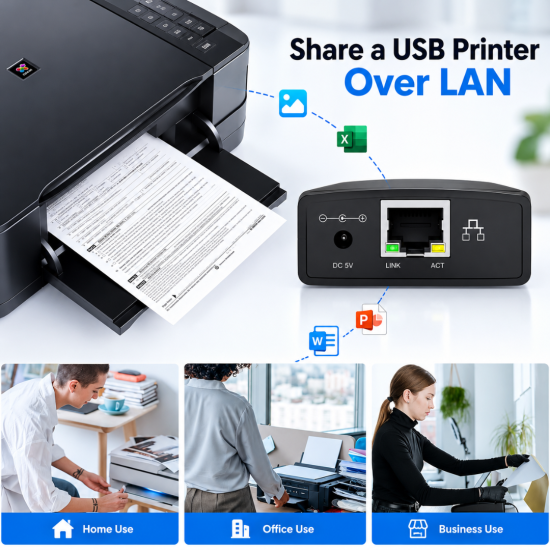
The WAVLINK WL-NU78M41 Ethernet USB Print Server is suitable for homes, offices, schools, retail shops and other workplaces where multiple computers need access to a single compatible USB printer.
It supports compatible Windows and macOS printing environments, although installation procedures may vary by operating system.
With wired Ethernet connectivity, LPR printing, Bonjour support and convenient web management, the WL-NU78M41 provides a practical solution for network printer sharing.
WAVLINK WL-NU78M41 Price in Bangladesh
The WAVLINK WL-NU78M41 Price in Bangladesh is relevant for customers looking for a wired USB network print server for home, office and business printer sharing.
With 10/100Mbps Ethernet connectivity, USB 2.0, LPR network printing and web-based management, the WAVLINK WL-NU78M41 provides a convenient way to share a compatible USB printer across multiple computers.
Customers planning to buy the WAVLINK WL-NU78M41 Ethernet Print Server in Bangladesh should check the latest price, warranty, printer compatibility and stock availability before ordering.